Strikethrough amendments
Cross it out. Write it in. Get it initialled.
Counter-offers rarely need a new contract. With Sign Work Pro you strike out the old price, date or clause, type the new term beside it, and send it for initials, exactly as you would on paper.
How it works
Amend a contract in four steps.
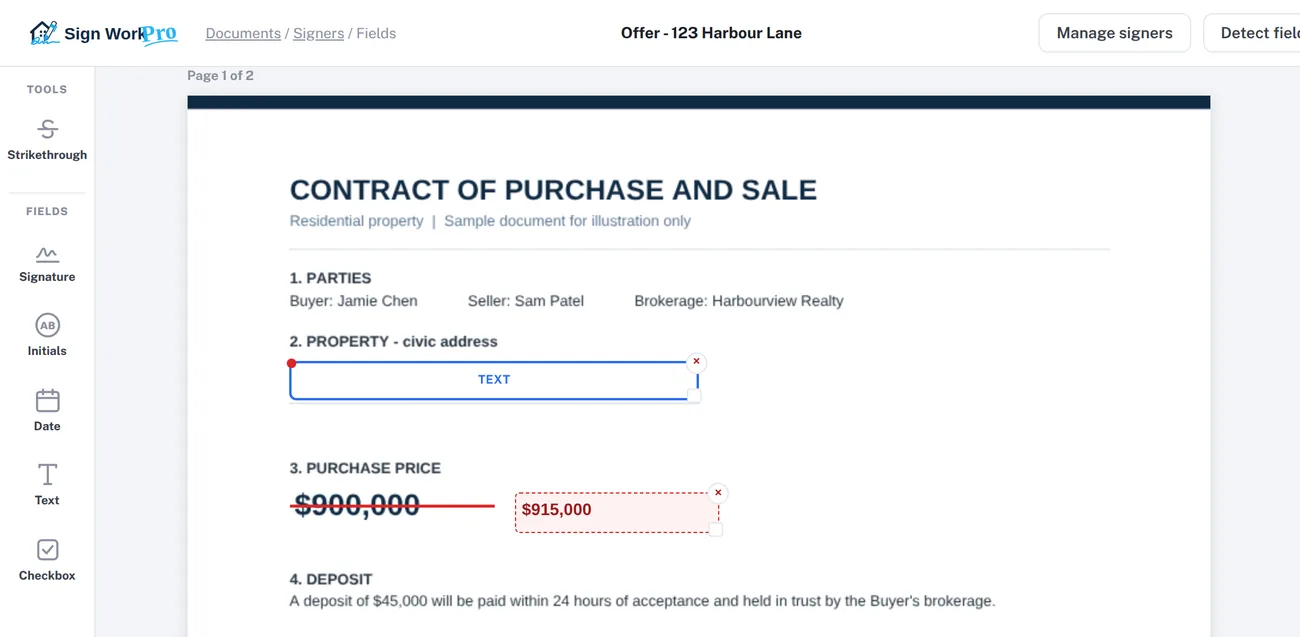
Choose Strikethrough
Open the document’s field editor and choose Strikethrough from the Tools section.
Drag across the old term
Draw the line through the price, date or words you’re replacing. The original text stays readable underneath.
Type the new term
Write the replacement beside it, then move and resize it to fit the space on the form.
Add initials and send
Place an initials field for each party next to the change and send. Every initial is recorded in the audit trail.
On the signed PDF
Burned in, not floating on top.
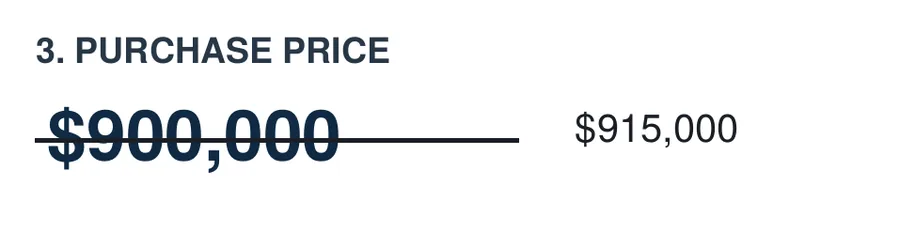
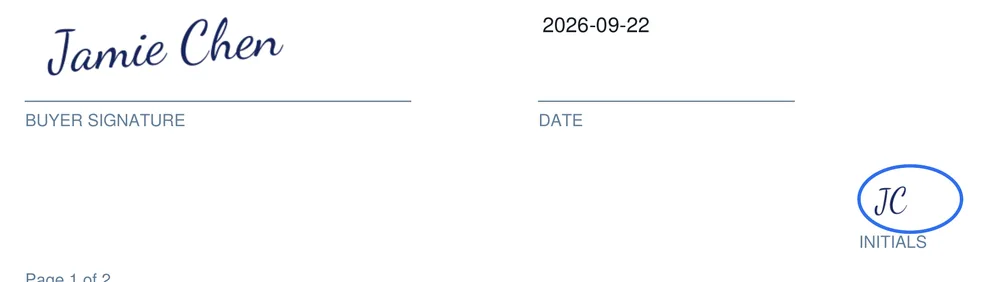
When the document is completed, the strike line, the new wording, the signatures and the circled initials are all merged into the PDF itself. They can’t be moved, hidden or edited, and the document’s fingerprint on every page proves nothing changed afterwards.
- Purchase-price changes in counter-offers
- Completion, possession and subject-removal dates
- Deposit amounts and included items
- Any clause the parties agree to change
Questions
Strikethrough amendments FAQ
How do I strike out a term and write in a new one?
In the field editor, choose Strikethrough, drag across the words to cross them out, and type the replacement. The line and the new wording are placed exactly where you drew them, and they are burned into the signed PDF.
Do the parties initial the change?
Add an initials field for each party beside the amendment. Initials appear in a circle in that signer’s colour, and each one is recorded in the audit trail with the time and IP address.
Can I amend a document after it has been signed?
A completed document can’t be changed, which is what makes it trustworthy. To change a signed contract, send an amendment or addendum as a new envelope. It gets its own audit trail and certificate.
Does the original text stay readable?
Yes. The strike line crosses the words without covering them, so everyone can see what was there before and what replaced it, as on a paper contract.
Start signing in minutes.
Plans from $4.99 a month. No long-term contract: cancel any time.